Investor Pitch-Deck PowerPoint Template for Founders and Growing Teams
You have spent months refining your product, building a team, and chasing early traction. Now comes a moment that can change everything: presenting to investors. The difference between a meeting that fizzles and one that leads to a follow-up often comes down to how clearly you tell your story. That is where a well-crafted deck matters. The Investor Pitch-Deck PowerPoint Template is not just a set of slides. It is a framework designed to help you arrange your narrative, showcase your numbers, and communicate your vision without visual clutter getting in the way.
More Than a Slide Deck: A Practical Tool for Real Conversations
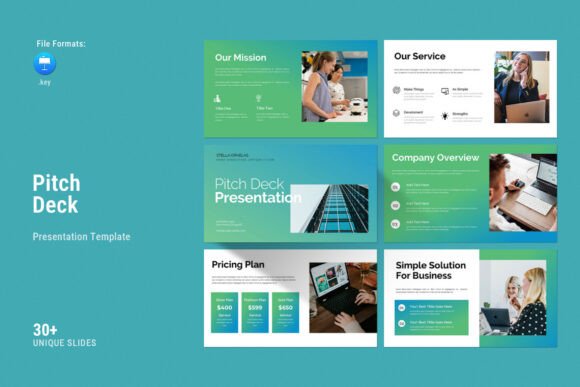
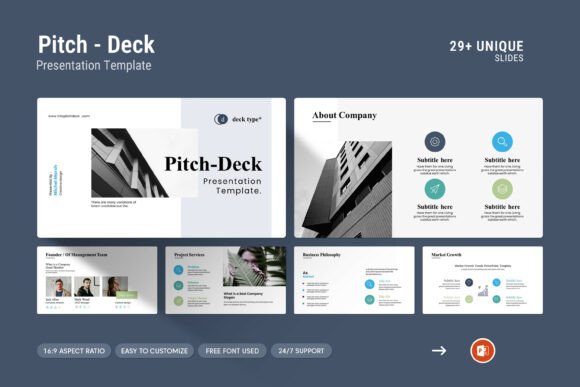
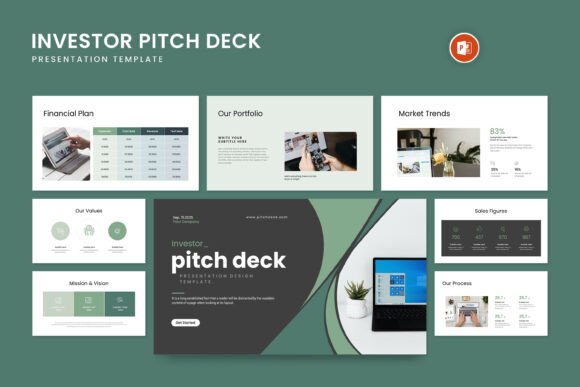
When you walk into a pitch meeting, every second counts. Investors are not looking for fancy animations or distracting transitions. They want clarity. This template gives you 29 slides that cover everything from your company profile to market analysis, financial projections, and team introductions. Each slide is built on a 16:9 full HD ratio (1920x1080px), so your content looks crisp on any screen, whether you are presenting from a laptop in a coffee shop or a large monitor in a boardroom.
What makes it useful in practice is the layout structure. You get master slides, which means you can adjust the design across all slides at once. If your branding evolves, you change the color once and it propagates through the entire deck. That saves hours of manual work, especially when you are iterating on a pitch before a big meeting.
Early-Stage Fundraising
If you are raising a seed round or Series A, your story needs to balance ambition with credibility. The template includes sections for problem statement, solution, market size, and traction. You can drop in your metrics, add real customer logos, and show growth curves using the built-in infographics and diagrams. The drag-and-drop photo feature lets you swap in team photos or product screenshots without breaking the layout. For founders who are not designers, that alone removes a huge headache.
Corporate Presentations and Business Development
Investor decks are not only for VCs. You might be pitching to a strategic partner, a potential acquirer, or a corporate innovation fund. In those settings, the tone shifts more toward operational fit and synergy. The template's tables and vector icons help you lay out partnership models, revenue share structures, or implementation timelines. The clean design keeps the focus on your logic rather than on decorative elements that can feel out of place in a corporate context.
Accelerator and Demo Day Preparation
Accelerator programs often demand rapid iteration. You may need to adjust your deck every week based on mentor feedback. Because the template is fully editable and works on both Apple and Windows, you can make changes on any device. The included help file guides you through color changes and slide adjustments, so you do not waste time figuring out formatting. Many teams find that having a consistent visual baseline lets them focus on tightening their message instead of worrying about alignment and font sizes.
Internal Stakeholder Updates
Sometimes your biggest investors are internal: board members, executive leadership, or advisory boards. These audiences already know your business, so you need a deck that communicates progress, risks, and key decisions clearly. The template's infographics and diagrams work well for showing roadmap updates, OKR progress, or budget allocation. You can reuse the same structure for quarterly reviews without starting from scratch each time.
How Different Users Benefit From the Same Template
A solo founder might use the Investor Pitch-Deck PowerPoint Template to create their first real deck in an afternoon, leaning on the pre-built slides as a guide for what to include. A design lead at a larger startup might use the master slides to enforce brand consistency across multiple decks for different investors. A consultant building a deck for a client might appreciate the free fonts and easy color change, which allow quick customization without licensing headaches.
The vector icons and creative photo layouts give each user the ability to express their unique brand personality while staying within a professional, contemporary framework. You can go minimal with lots of white space, or fill the slides with data visualizations and product shots. The template does not force a specific style. It gives you a foundation that adapts to your content.
Common Considerations Before Choosing a Pitch Deck Template
Not every template works for every situation. Here are a few things to think about before you commit to one.
- Slide count flexibility. With 29 slides, you have room to tell a complete story. But you may not need all of them. Some investors prefer a 10-slide deck that moves fast. Others expect a deeper dive into financials and market data. The template gives you the pieces; you decide what to keep. The master slide layout makes it easy to hide or delete slides without messing up the overall design.
- Photo and graphic handling. The drag-and-drop photo change is a practical time-saver. However, if you have a large number of custom graphics or branded illustrations, you will still need to do some manual work to integrate them. The template works best when you use the provided layouts as a container for your own assets.
- Font compatibility. The template uses free fonts, which is great for avoiding extra costs. Just make sure to install the fonts before you start editing, especially if you switch between computers. The help file includes details on where to download them.
- Color change simplicity. Changing the color palette is straightforward, but it works best if you stick to a few brand colors. If you have a complex color system, you may need to adjust certain elements manually. For most teams, the easy color change covers the essentials.
Strengths That Stand Out in Real Use
The most obvious strength is how much time it saves. Rather than starting with a blank slide and figuring out layout, spacing, and alignment, you drop your content into a structure that already works. The creative photo layouts are especially useful if you want to feature product images, team photos, or customer case studies without your deck looking like a generic template.
The infographics and diagrams are not just decorative. They help you communicate complex ideas quickly, which is critical when you have limited time with an investor. A well-designed chart can replace a paragraph of explanation. The table layouts let you show pricing comparisons, competitive analysis, or revenue breakdowns in a way that invites questions rather than confusion.
Support is another practical strength. If you get stuck, free real support from a skilled designer is available. That is rare for a template purchase, and it matters when you are on a tight deadline and need a quick fix or a design suggestion.
Limitations to Keep in Mind
No template is perfect for everyone. If your pitch requires highly custom animations or interactive elements, this PowerPoint-based template may feel restrictive. It is designed for static presentations that flow slide by slide. For investors who expect a polished, straightforward deck, that is exactly what you want. But if you are planning to present in a non-linear way, you may need to adjust the slide order or create custom navigation.
Also, while the template works on both Apple and Windows, PowerPoint on Mac has some differences in how master slides and certain effects behave. If you switch between platforms, test your deck on the actual presentation device beforehand. The help file covers compatibility, but a quick run-through can prevent surprises.
Making the Template Work for Your Specific Pitch
To get the most out of the Investor Pitch-Deck PowerPoint Template, start by mapping your story to the slide structure. Identify which slides are essential for your audience and which ones you can combine or skip. Then customize the color and fonts to match your brand. Use the vector icons to reinforce key points visually. Finally, run through the deck with someone who does not know your business. If they can follow your narrative without extra explanation, your deck is ready.
Whether you are preparing for your first investor meeting or refining a deck for a later funding round, having a reliable template frees you to focus on what matters: your message, your data, and your confidence in the room.